A website that looks like your show.
Search for your show and Podcasso builds the whole site: every episode, your artwork, and colours taken from it. Pick a template, move anything you like, and put it on your own domain. Got more than one show? They can share one site.
Your cover art already picked your colours.
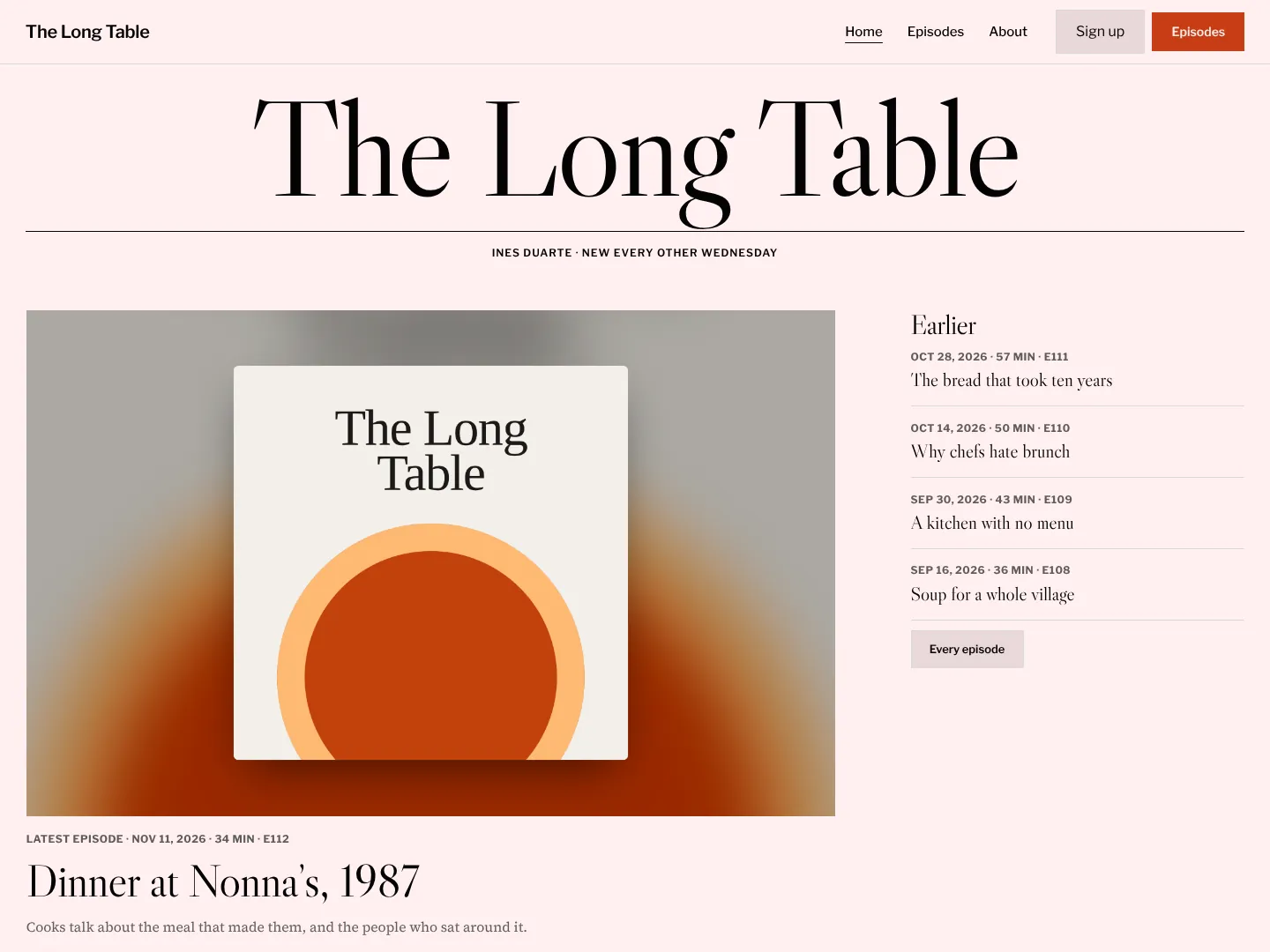
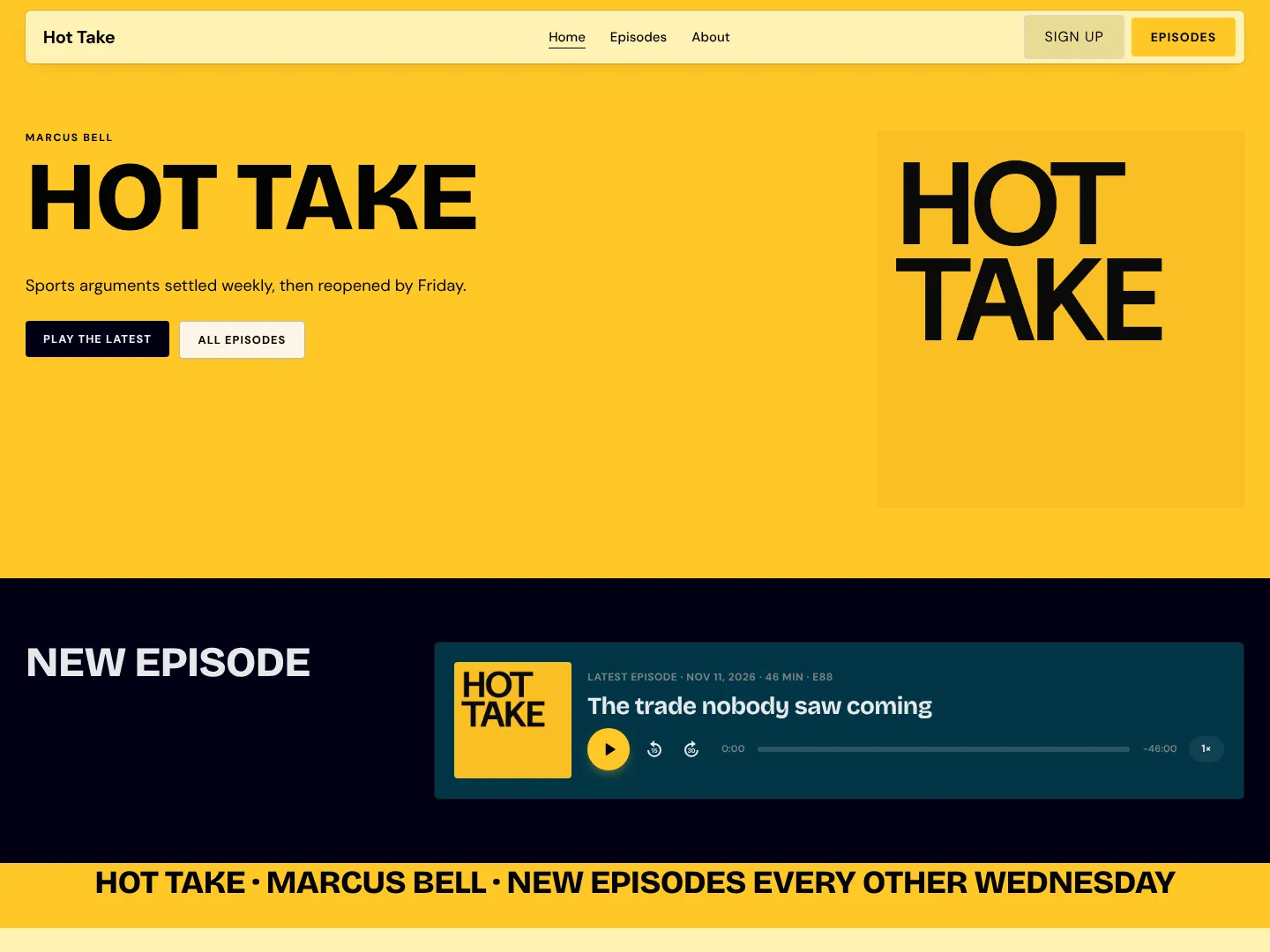
Choose any template and it arrives in your show’s colours, sampled straight from your artwork. Your site looks like your show before you’ve touched a thing.
More about templates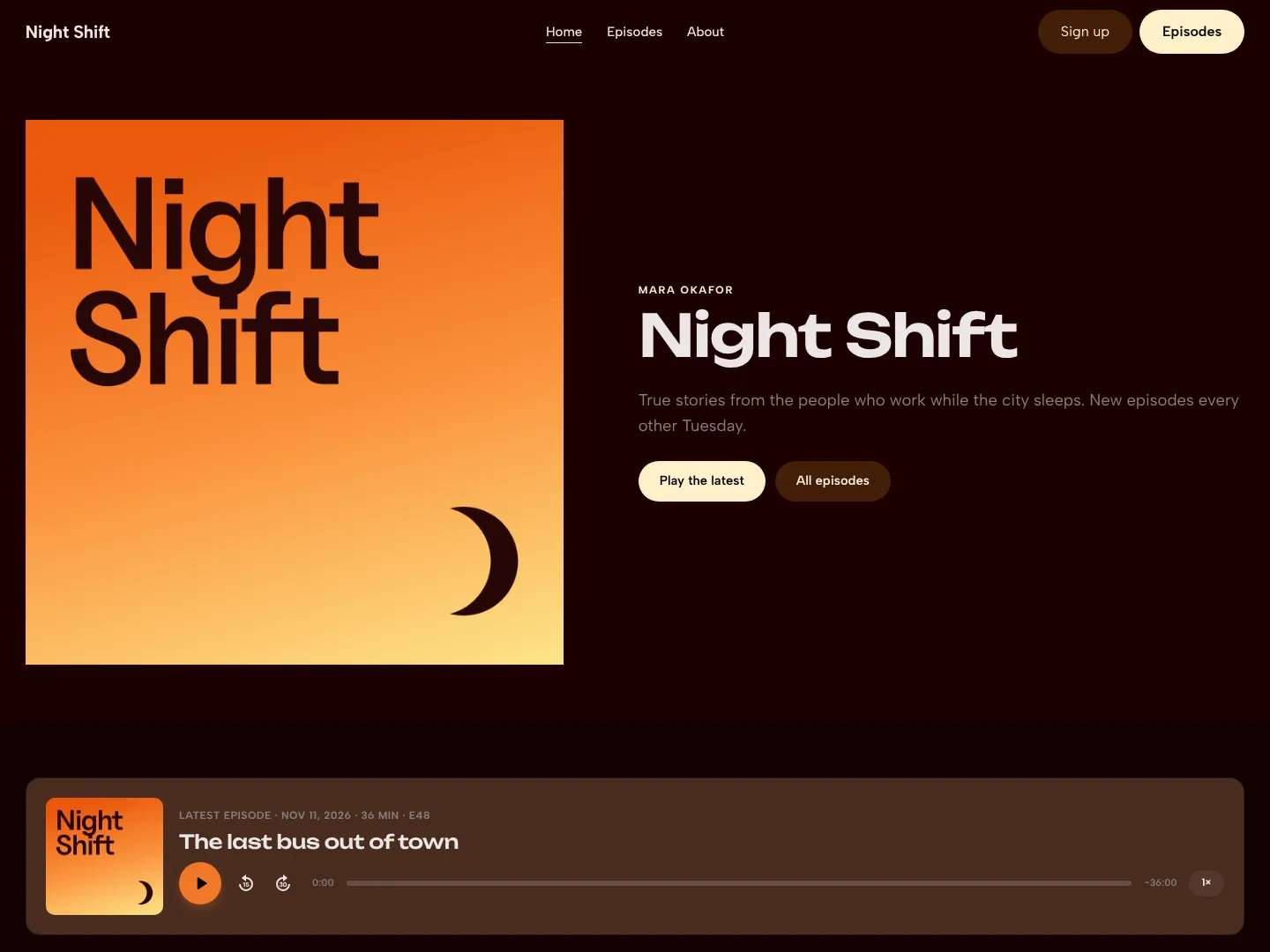
- Colours from your artwork
- We pull a background, an accent for buttons and links, and a text colour that’s actually readable on top. No colour theory required.
- Real differences in layout
- Broadsheet, Longform, Quarterly, Studio, Poster, and the rest each have their own layout and type. Pick the one that feels like your show.
- Every page a show needs
- Home, Episodes, About, a page for each episode, and a 404 that matches the rest. Even the dead ends look good.
- One change, everywhere
- Swap your palette, fonts, or button style in the Brand panel and the whole site follows along.
Drag it anywhere. It snaps into line.
Every page is a grid, and everything on it is a block you can pick up and move. Put the player where the eye goes first, stretch a photo across the page, make a headline arrive one word at a time. No code, unless you want to write some.
More about designer- Drag and drop on a grid
- Blocks snap into place as you move them, so everything lines up without any fiddling. Grab an edge to resize.
- Stacks
- Select a few blocks and stack them into a tidy row or column. They move as one, keep their spacing, and fold neatly into a column on phones.
- Blocks made for podcasts
- A player, episode lists, guests, sponsors, reviews, follow buttons, a mailing list sign-up, and voicemail, next to the usual text, images, and buttons.
- Site styles
- Set your palette, fonts, and button style once and every page follows. Want a change? Pull a fresh palette from your artwork.
Press play. Keep browsing.
Most podcast sites stop the episode the moment someone clicks a link. Yours doesn’t. The player tucks into a mini player and keeps going while people read the show notes, look up a guest, or dig through old episodes. On a phone, one tap opens a full-screen player that works like their podcast app.
More about podcast player- Keeps playing between pages
- People can move from page to page and the episode carries on, right where it was. No restarts, no lost place.
- A mini player that follows along
- Play, skip, scrub, and change speed from a slim bar along the bottom of every page, in your site’s own colours.
- Full screen on phones
- Tap the mini player and the episode fills the screen with big artwork and big buttons. Swipe down to tuck it away again.
- Chapters, done properly
- Chapters show as gaps in the progress bar and as a list you can jump around. We read them from your feed, and even from timestamps in your show notes.
Your show, on your own domain.
Every site comes with a free podcasso.fm subdomain. Got a domain of your own? Type it in, copy what we show you into your DNS, and we’ll take it from there.
More about custom domainsnightshift.com → 76.76.21.21www → sites.podcasso.fmCertificate issued- Exact records, no guessing
- Type your domain and we show you exactly what to paste into your DNS, wherever you bought it.
- HTTPS included
- We get the certificate and renew it for you. That little padlock is no longer your problem.
- One domain for everyone
- Send visitors from your podcasso.fm subdomain to your own domain, so search engines see one site, not two.
- Old links still land
- Moving from another site? Old episode links go straight to the right new page.
Fair questions.
No. Every template arrives finished, in colours from your artwork. Change things when you feel like it, or never.
Yes. Add another show and it gets its own page and episodes on the same site, with the same look.
Everything else Podcasso does
- Get found
Every episode on Google and in AI answers
- Keep your audience
Emails, messages, and numbers that stay yours
- Promote every episode
Clips, posts, and links made from each episode
You’ve built the audience. Now bring them somewhere you own.
Join the waitlist and be one of the first shows through the door.
Join the waitlist